Battery performance issues can significantly impact daily operations. According to industry reports, up to 30% of consumers report experiencing problems with their devices' batteries. Understanding how to troubleshoot battery performance issues is essential for durability and efficiency.
Many factors contribute to battery decline. For example, temperature extremes can reduce efficiency by up to 20%. Regular maintenance is critical. However, users often overlook basic checks, leading to missed optimizations. New technologies enable better battery management, yet many devices still underperform.
Engaging in proactive measures can extend battery life. Simple actions, like adjusting settings or reducing usage, may yield notable improvements. Nonetheless, many consumers remain unaware of best practices. Failing to seek solutions can result in unnecessary replacements, burdening both users and the environment. Assessing these elements fosters a deeper understanding of battery health.
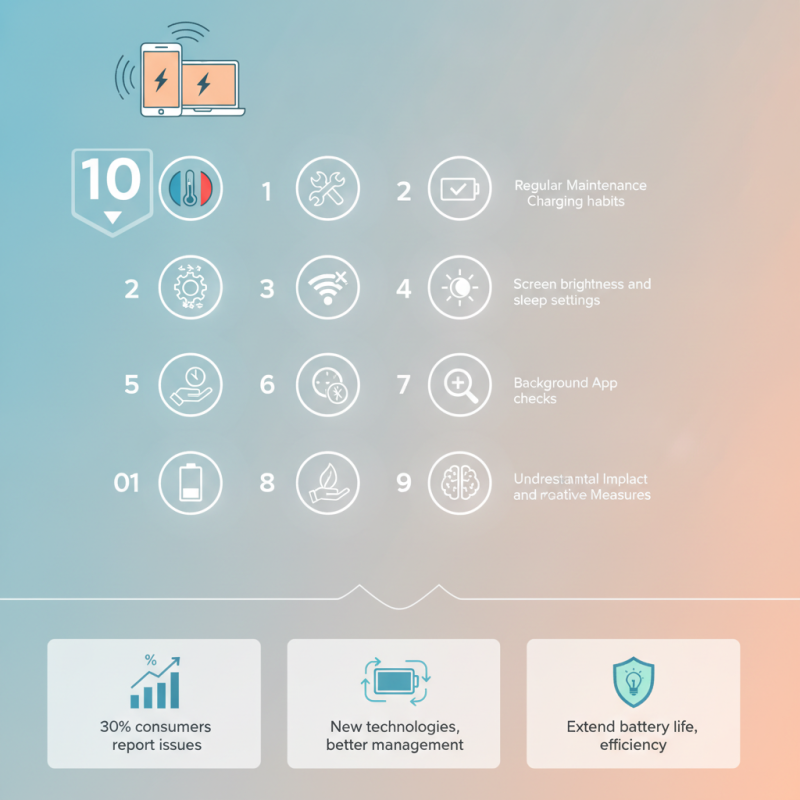
Battery performance issues often arise from various factors. Heavy usage leads to battery drain more quickly than anticipated. According to a study by Battery University, up to 70% of battery life can be reduced by excessive heat. Proper care is essential to maintain optimal performance.
To troubleshoot, start by checking background app activity. Some apps consume significant power without user awareness. Limit these apps to extend battery life. Another common issue is outdated software, which can lead to inefficiencies. Keeping your system updated ensures better performance and stability.
Additionally, consider battery calibration. Fully draining and then fully recharging can help reset the battery's performance. However, frequent full discharges may decrease battery lifespan. Monitor charging habits as well; continuous overnight charging can harm battery health. Understanding these issues empowers users to make informed decisions about their devices.
This chart displays common battery performance issues experienced by users, highlighting the percentage of users reporting each issue.
When evaluating battery age and health indicators, it's crucial to understand how both factors influence performance. Over time, batteries degrade, leading to reduced capacity and efficiency. Monitoring the lifespan of your battery can indicate when it's time for a replacement. Regularly checking the age of your battery helps you anticipate potential issues before they arise.
One important health indicator is the charge cycle count. Each battery can typically handle a limited number of charge cycles before its performance begins to decline. A battery nearing its cycle limit will show diminished capacity. Another sign of aging is its temperature when charging or discharging. Excessive heat can indicate underlying issues that require immediate attention.
Visual inspections are also valuable. Look for physical damage or swelling, which may indicate a failing battery. Less obvious signs like decreased runtime can be subtle but significant. Pay attention to sudden drops in battery life, as this could mean it's struggling to hold a charge. Regular monitoring can help avoid unexpected failures and improve long-term reliability. Embracing these practices leads to better battery management.
| Tip | Description | Indicators | Recommended Actions |
|---|---|---|---|
| Check Battery Age | Assess how long the battery has been in use. | Battery age over 2-3 years | Consider replacement if age is significant. |
| Monitor Charge Cycles | Count the number of complete charge and discharge cycles. | Cycles exceed manufacturer’s specs | Evaluate battery health or replace. |
| Check Voltage Levels | Measure the voltage output of the battery. | Voltage significantly lower than rated | Replace battery if voltage is low. |
| Inspect for Physical Damage | Look for dents, leaks, or swelling. | Visible damage to battery casing | Replace immediately for safety. |
| Evaluate Charging Environment | Assess temperature and humidity of charging area. | High temperatures or extreme humidity | Improve ventilation and temperature control. |
| Examine Connections | Inspect battery terminals and connections. | Loose or dirty connections | Clean terminals and tighten connections. |
| Perform Calibration | Recalibrate the battery management system. | Inaccurate battery readings | Follow manufacturer’s calibration process. |
| Update Software/Firmware | Ensure all software is up to date. | Compatibility issues noted | Check for updates and install. |
| Seek Professional Evaluation | Get help from a certified technician. | Persistent battery issues | Visit an authorized service center. |
Optimizing device settings can significantly enhance battery life. A few simple adjustments can make a noticeable difference. Start by dimming your screen brightness. A bright screen consumes more power. Set your brightness to automatic to allow your device to adjust based on surroundings. This small change can lead to extended usage time.
Another key area is your app management. Many apps run in the background, draining your battery. Regularly check and close unused applications. Some apps may request location services continuously. Limit location access to only when necessary. This action conserves battery power significantly.
It’s also beneficial to manage connectivity settings. Turn off Bluetooth and Wi-Fi when not in use. These features can drain the battery quickly even when not actively being utilized. Enabling Airplane Mode can also be useful in low-signal areas. It prevents your device from continuously searching for a connection, which can drain the battery rapidly.
These habits need reflection. Adapting to them takes time, yet frequent practice leads to better battery management. Finding the right balance between convenience and battery usage is a continuous process.
When troubleshooting battery performance issues, testing various charging methods is essential. Different chargers can affect charging times and battery longevity. For instance, a fast charger might seem convenient, but it can generate excess heat. This heat can damage the battery over time. Experimenting with standard chargers can help identify disparities in performance.
Using compatible accessories is another aspect to consider. A non-certified charging cable may not deliver the correct voltage, leading to ineffective charging. This scenario often goes unnoticed until significant performance drops occur. Always check for wear and tear on cables and connectors. A small fray could impact charging efficiency significantly.
Additionally, charging locations matter. A cool, dry place is ideal for charging. Hot surfaces can lead to overheating issues. Regularly moving your device to different locations while charging can yield surprising results. Testing in various environments might reveal patterns or insights previously overlooked. Taking these steps can lead to a better understanding of battery health and functionality.
Implementing software updates is crucial for enhancing battery performance. Updates often include optimizations that reduce power consumption. Regularly check your device for updates to ensure you benefit from these improvements. Ignoring updates may leave your device vulnerable to bugs that drain battery life.
Diagnostics tools can identify battery issues. These tools assess battery health and usage patterns. Access your device settings to find built-in diagnostics features. They can help pinpoint problems like excessive background activity or battery-hogging apps. By addressing these issues, you can significantly improve battery longevity.
Consider using power-saving modes during critical times. This feature dims the screen and limits background functions. It helps extend battery life when you're away from charging options. Take time to adjust settings based on your habits. Small changes can lead to better battery performance, revealing the importance of proactive management.
: Regularly check the charge cycle count and monitor temperature during charging or discharging.
Look for diminished capacity, swelling, or physical damage. Sudden drops in runtime are also significant.
Each battery has a limit on charge cycles. Nearing this limit impacts performance and capacity.
Yes, different charging methods can change charging times and overall battery longevity.
They may not provide the correct voltage, leading to ineffective charging and potential battery damage.
Charge in a cool, dry place. Avoid hot surfaces to prevent overheating issues.
Updates often include optimizations that reduce power consumption, enhancing battery life.
They assess battery performance and highlight issues like background activity or power-hungry apps.
Using power-saving modes and adjusting settings based on your habits can enhance battery performance.
Investigate potential issues immediately, as excessive heat may indicate underlying problems that need attention.
In today's tech-driven world, battery performance issues can significantly affect our device usage. To effectively address how to troubleshoot battery performance issues, it's essential to first identify common problems such as rapid discharging, overheating, or failure to charge. Evaluating battery age and health indicators can provide insights into whether a replacement is necessary.
Moreover, optimizing device settings—like reducing screen brightness and turning off unnecessary background apps—can enhance battery life. Testing various charging methods and accessories can also reveal what works best for your device. Lastly, implementing the latest software updates and running diagnostics ensures that your device performs at its peak, helping to mitigate any potential battery issues. By following these strategies, users can extend their device's battery life and improve overall performance.

Autrionyx Power